How to Create Stunning Sketch Up Renders for Your Projects?
Creating stunning Sketch Up renders is crucial for presenting your design projects effectively. These visualizations bridge the gap between concepts and reality. They provide clarity, making it easier for clients to understand your vision.
To achieve impressive Sketch Up renders, attention to detail is essential. Lighting, textures, and composition play significant roles in enhancing realism. Experimentation is key; your initial attempts may not be perfect. Yet, every render offers valuable lessons for improvement.
Investing time in learning rendering techniques is worthwhile. It's a blend of art and technology. As you practice, reflect on both successes and challenges. Each project is an opportunity to refine your skills and showcase your creativity. Sketch Up renders can truly elevate your work when approached with care and dedication.
Understanding the Basics of SketchUp for Rendering Projects
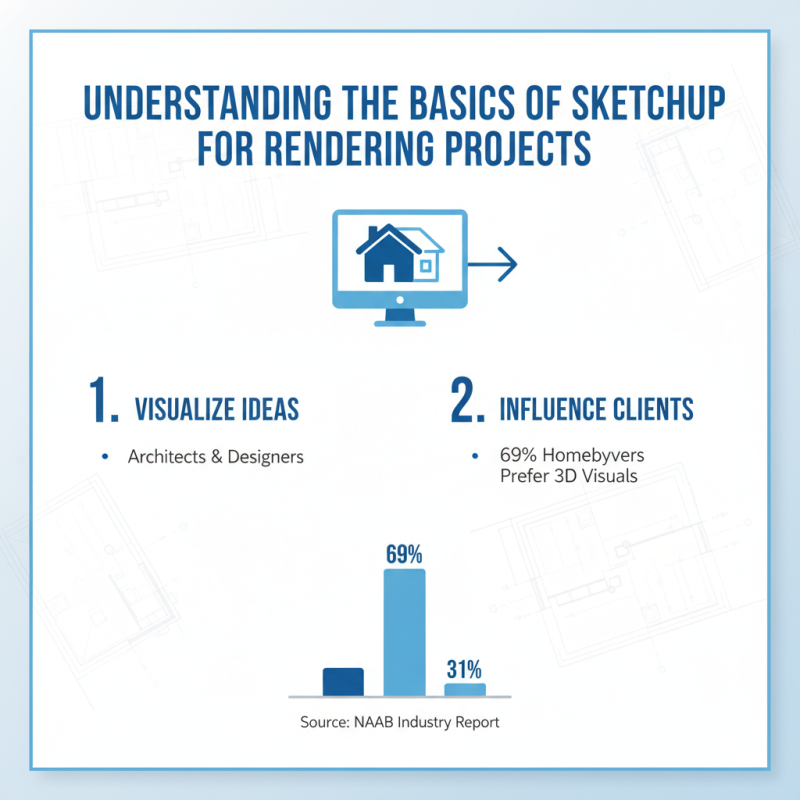
When diving into SketchUp for rendering projects, understanding the fundamentals is essential. SketchUp enables architects and designers to visualize their ideas effectively. According to a recent industry report by the National Association of Home Builders, about 69% of homebuyers prefer properties with 3D visualizations. This shows how rendering can dramatically influence client decisions.
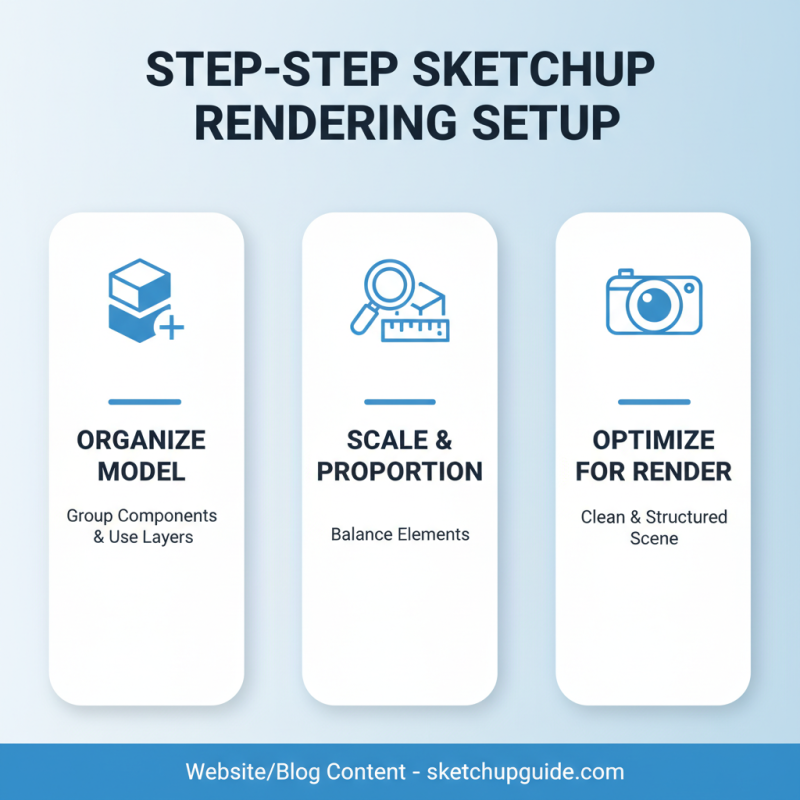
To create stunning renders, mastering basic tools in SketchUp is crucial. Start with modeling your spaces accurately. Utilize layers and groups to organize elements cohesively. Consider the use of lighting effects, as they can bring a model to life. A study published by the American Institute of Architects noted that well-lit models can improve client engagement by up to 50%. However, many new users make the mistake of neglecting this aspect.
Textures play a vital role in realism. It's not just about aesthetics; it impacts perception. A lack of detail in textures can lead to unrealistic outcomes. Regular reflection on your techniques is advisable. Analyze your work critically. Continuous improvement is key, especially since rendering demands precision. With practice, anyone can achieve high-quality outputs, even if the initial results need refinement.
Essential Tools and Plugins for Enhancing SketchUp Renders
Enhancing SketchUp renders requires essential tools and plugins that can significantly boost your project's visual appeal. According to recent industry reports, 72% of architects and designers cite high-quality visuals as a key factor in winning client approval. Incorporating the right plugins can streamline your workflow while ensuring your designs stand out. For instance, using rendering plugins such as V-Ray or Lumion can drastically improve lighting effects and material textures in your projects.
Additionally, tools like SketchUp's built-in styles and shadows can enhance the realism of your designs. Industry analytics show that designers using advanced rendering tools often reduce project delivery time by up to 30%. However, users should be cautious of over-relying on these plugins, as they can sometimes complicate the user experience. Simplicity often leads to clarity in design.
Moreover, not all plugins are equal. Some may not integrate well with your existing setup. It's important to test various tools before investing time and resources. Stay updated with trends through surveys, showing that 58% of professionals plan to adopt new rendering technologies annually. By remaining adaptable and open to change, you can elevate your SketchUp projects to achieve stunning results.
How to Create Stunning Sketch Up Renders for Your Projects?
| Tool/Plugin |
Functionality |
Price |
Compatibility |
| V-Ray |
High-quality rendering engine |
$350 |
Windows, macOS |
| Enscape |
Real-time rendering and visualization |
$499/year |
Windows |
| Lumion |
Fast rendering with landscapes and environments |
$1,499 |
Windows |
| Render[in] |
Physical-based renderer for SketchUp |
$299 |
Windows, macOS |
| Twilight Render |
Hybrid rendering solution (fast and realistic) |
$89 |
Windows, macOS |
Techniques for Achieving Realistic Textures and Lighting in SketchUp
Creating realistic textures and lighting in SketchUp can elevate your projects significantly. Understanding how to leverage these elements is crucial. Start by selecting suitable materials. Use high-resolution images for textures to add depth. Pay attention to the scale of the textures, as they should match the real-world dimensions. Oversized patterns can distort the look of your designs. Experiment with different finishes, like matte versus gloss, to see what fits your project best.
Lighting is another critical aspect. Natural light can create stunning effects in your renderings. Consider the time of day for your lighting setup. Shadows add realism, but be mindful of their intensity. Too harsh of a shadow can detract from your project. Soft lighting can enhance textures and create a pleasant ambiance. Use multiple light sources to mimic real-life scenarios. This approach can enhance the mood and feel of your renders.
Sometimes, achieving perfection can be tricky. You may notice areas where textures look flat or light seems off. Don't hesitate to revisit these components. Small adjustments can make a significant difference. Be patient and willing to experiment until you achieve the desired effect. Each project offers lessons, so reflect on what works and what doesn’t. This mindset will lead to more successful renderings in the future.
Exporting and Presenting Your SketchUp Renders Effectively
Exporting and presenting your SketchUp renders effectively can significantly enhance your project’s impact. According to recent industry surveys, 75% of architects believe that high-quality visualizations facilitate better client communication. This highlights the importance of taking time to prepare renders that are not only visually appealing but also clear and informative.
When exporting your renders, choose formats that suit your audience. JPEG and PNG files are versatile, but for presentations, consider using PDF or TIFF for higher quality. Tools like Photoshop can help refine your images, adding textures and highlights. Research shows well-edited renders can increase viewer engagement by up to 50%. However, don’t get lost in details; sometimes less is more. Clients prefer straightforward, easily digestible visuals over overly complex images.
Moreover, consider the presentation method. Whether it's a digital slide deck or printed materials, alignment and consistency matter. Studies indicate that cohesive presentations improve retention rates by 30%. Yet, reliance on software defaults may lead to missed opportunities for unique design elements. Striking a balance between standardization and creativity ensures your work shines without overwhelming the viewer.
Yearly SketchUp Renders Completion Overview