How to Create Stunning Sketch Up Renders in 2026?
Creating eye-catching Sketch Up Renders is essential for today's designers. In 2026, the demand for high-quality visualization continues to grow. While the tools have evolved, the basics remain the same.
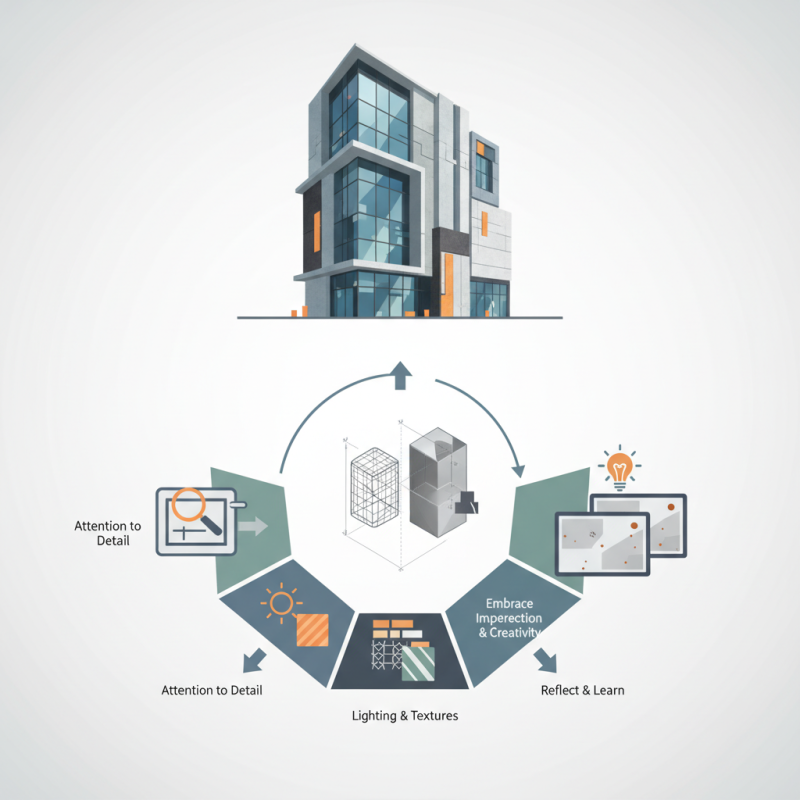
Effective Sketch Up Renders require attention to detail and a keen eye for composition. Lighting and textures play a significant role in bringing your designs to life. However, achieving flawless renders can be challenging. It's easy to overlook simple elements that might impact the final image.
Embrace the imperfections in your work. Sometimes, a small mistake can lead to unexpected creativity. Reflect on your past renders to identify areas for improvement. Learn from your missteps to enhance your skills. As you explore new techniques, remember that every render is an opportunity to grow as a designer.
Understanding the Basics of SketchUp for 2026 Renders
Creating stunning renders in SketchUp requires a solid understanding of its core features. Start by familiarizing yourself with the interface. Explore the toolbars and panels. This knowledge will help you navigate the software with ease. Keep it simple at the beginning. Complex models can become overwhelming.
Tips: Use layers effectively. Organize your elements into different layers for better control. It helps when you want to hide or isolate specific parts of your model. Colors can also make a big difference. Choose a limited palette to maintain visual consistency.
Lighting is crucial for realistic renders. Experiment with various light settings to see how they affect your model. Don’t hesitate to use shadows for depth. However, too many shadows can clutter the scene. Finding the right balance is key.
Remember to review your work frequently. A fresh perspective may reveal odd proportions or mis-matched colors. Taking breaks also helps. You will notice mistakes you might have missed before. Learning from these moments is essential in mastering SketchUp.
Essential Tools and Plugins for Enhanced Rendering in SketchUp
Creating stunning renders in SketchUp requires the right tools and plugins. To enhance your rendering capabilities, consider exploring a variety of options that cater to different needs.
Lighting plugins can dramatically transform your visual outputs. They simulate natural and artificial light sources. The results may vary based on scene complexity. Experimenting with different settings could yield unexpected yet rewarding results.
Texture creation is another essential aspect. High-quality textures give realism to your models. Look for plugins that offer extensive texture libraries. Sometimes, combining textures can lead to unique outcomes. You might face challenges in achieving the desired look. This process requires patience and several trials to perfect.
Lastly, post-production tools are crucial for that final touch. These tools allow adjustments that enhance colors and sharpness. Without them, renders may feel flat. It's often easy to overlook this part. Small tweaks can elevate your work from mediocre to magnificent. Remember, reflection on your methods will drive improvement. Each render presents a chance to learn and evolve.
Techniques for Improving Lighting and Textures in SketchUp Renders
Lighting and textures play crucial roles in creating compelling renders in SketchUp. Many designers underestimate their impact. According to recent studies, up to 90% of visual appeal comes from effective lighting. Proper lighting not only highlights textures but also conveys mood. For instance, daylight settings can create warm and inviting spaces, while artificial lighting can enhance drama.
Textures also require careful attention. Inconsistent or low-quality textures can detract from the overall design. A study revealed that 70% of users judge the quality of a render based on texture realism. Using high-resolution textures ensures details remain sharp and believable. Paying attention to scale matters as well. Oversized textures can appear unrealistic, disrupting viewer immersion.
Many designers still struggle with these elements. Lighting might seem perfect during setup, but renders often reveal harsh shadows or blown-out highlights. Textures may look stunning in isolation but clash when combined. Regularly seeking feedback can help identify these inconsistencies. Experimenting with different lighting angles and texture combinations can lead to surprising improvements. Understanding these complexities is essential for creating visually striking SketchUp renders.
Step-by-Step Workflow for Crafting Realistic SketchUp Presentations
Creating stunning SketchUp renders requires a thoughtful approach.
Start by setting up a solid foundation. Choose a realistic model with intricate details. Pay attention to elements
like furniture, textures, and lights. A well-furnished room enhances realism. Consider the scale of objects carefully.
Incorrect scaling can ruin the entire look.
Lighting is critical for your render. Utilize natural light sources
for a warm atmosphere. Experiment with different settings to see how shadows play across surfaces.
Adjust and readjust until it feels right. Adding reflections and refractions can also add depth.
Sometimes, the details you overlook make the biggest impact.
Lastly, don’t rush the final output. It’s crucial to take a step back and analyze your work.
Are the colors balanced? Are the materials looking authentic?
Reflection on your process can lead to significant improvements.
Embrace imperfections; they can guide you to refine your skills.
Experimentation is key! Explore different techniques and learn from the results.
Common Mistakes to Avoid When Rendering in SketchUp in 2026
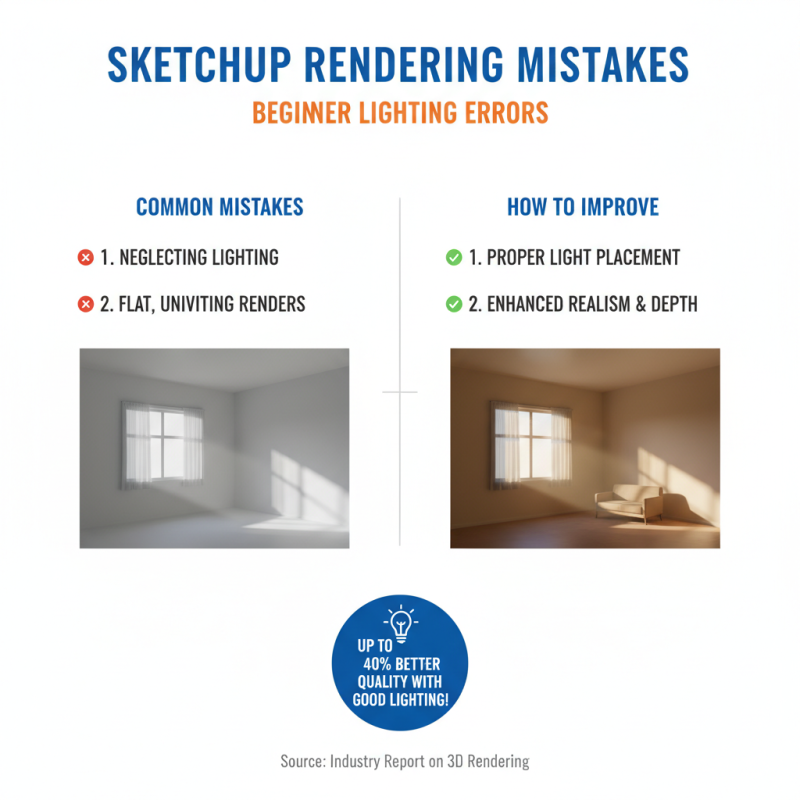
Rendering in SketchUp can be challenging, especially for beginners. Many users make common mistakes that can diminish the quality of their work. One prevalent error is neglecting lighting. An industry report shows that well-placed lighting can improve render quality by up to 40%. Proper light placement enhances realism. Without it, your render may appear flat and uninviting.
Another common oversight is texture selection. Using low-resolution textures can lead to pixelated images. A survey found that 50% of designers reported this issue when rendering materials. Texture choices are critical in influencing the overall aesthetic. Poor texture management can result in a less visually appealing outcome, even if other elements are strong.
Finally, it's easy to overlook the importance of composition. A cluttered scene can confuse viewers. Simplifying the environment often leads to a more impactful result. Experimenting with camera angles can also help in achieving a balanced composition. Remember, simplicity enhances clarity in your renderings.