

Inquiry
Form loading...
conatctz48
contact US

What Is Design Rendering and Why Does It Matter?

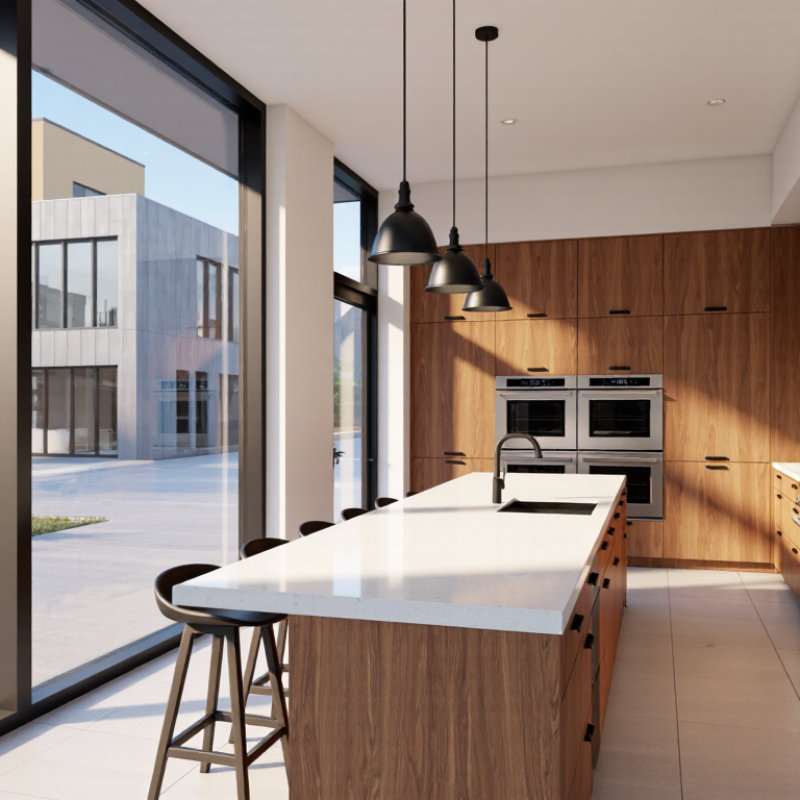
Design Rendering has moved beyond polished images for presentations. It now supports decisions about space, materials, lighting, cost, and customer expectations. A well-built rendering can show how morning light reaches a kitchen island, or how a façade appears beside neighboring buildings. It makes abstract drawings easier to question.

The market signals growing demand. Grand View Research’s 3D Rendering and Visualization Market report valued the global market at approximately USD 3.22 billion in 2022. It projected a 24.9% compound annual growth rate from 2023 to 2030. Fortune Business Insights also identifies architecture, real estate, product design, and media as important application areas. These figures show momentum, but they do not guarantee quality. Market growth can measure adoption, not whether an image improves a decision.

Visual-computing expert Paul Debevec offers a useful standard: “The goal of computer graphics is not to make images that look real, but to make images that are believable.” That distinction matters. Believability requires accurate scale, honest material behavior, and documented assumptions. It also requires experience with the project’s real constraints. A glossy render may hide poor circulation, excessive glare, or an impractical finish. That is the uncomfortable part. Design Rendering should invite scrutiny, not replace it. The strongest workflow combines technical modeling, human review, and clear communication about what remains uncertain. Some images will still need revision. That is not failure. It is evidence that the rendering is doing useful work.
What Is Design Rendering and Why Does It Matter?

Definition and Purpose of Design Rendering

Design rendering is the visual translation of a design concept into a clear, realistic image.

It shows how planned spaces, products, or structures may appear before construction or production begins. A rendering can include materials, lighting, proportions, textures, furniture, and surrounding conditions. For example, a room image might show sunlight across a timber floor, soft shadows beneath a table, and the exact position of a window.

Its purpose is practical, not merely decorative. Rendering helps designers test ideas, identify awkward layouts, and explain decisions to clients or project teams. Seeing helps. A carefully prepared image can reveal that a doorway feels too narrow or that a surface reflects excessive light. It also supports more informed discussions about cost, function, accessibility, and visual balance. Professional teams should connect each image with drawings, measurements, and material information. A beautiful picture alone is not technical evidence.

A reliable rendering must communicate assumptions clearly. Lighting may be idealized, colors may change between screens, and digital furniture can appear more accurate than it is. That limitation matters. In practice, teams often revise a rendering several times after reviewing scale and daily movement through the space. I believe an intentionally unfinished detail can be useful when information remains uncertain. It invites questions instead of pretending that every decision is final. Small labels, realistic dimensions, and consistent viewpoints make the image easier to assess and harder to misunderstand.
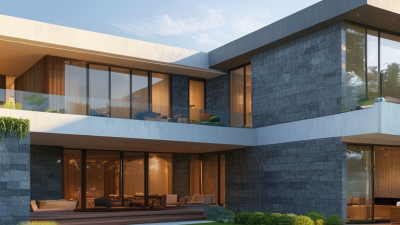
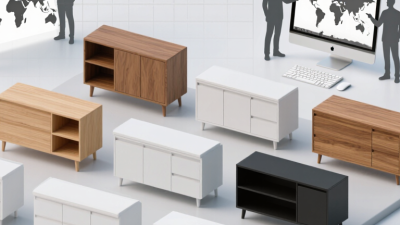
Key Types of Design Rendering

What Is Design Rendering and Why Does It Matter?

Design rendering turns an idea into a view that people can inspect, question, and improve. It may begin with a quick hand sketch. It can become a measured drawing, a digital model, or a realistic image. Each form answers a different design question. A sketch tests movement and proportion. A 2D technical rendering checks dimensions, materials, and construction details. A 3D model shows volume, spacing, and user interaction. A photorealistic rendering explores light, color, texture, and atmosphere.

The most useful type depends on the project stage. Early teams often need rough, fast visuals rather than perfect polish. Later, accurate 3D views can reveal blocked pathways, awkward edges, or poor sightlines. Technical renderings support clearer communication between designers, engineers, fabricators, and clients. Interactive or animated renderings add another layer. They help viewers understand circulation and changing viewpoints. Still, movement can distract from basic flaws.

In practice, I compare renderings with measurements, material samples, and site conditions. A beautiful image is not reliable evidence by itself. Lighting may hide a sharp corner. A wide lens may make a room seem larger. I also leave room for revision. Early assumptions are often wrong. That is uncomfortable, but useful. Good rendering records decisions without pretending uncertainty has disappeared. It invites precise feedback before time and materials are committed.

The Design Rendering Process Step by Step

What Is Design Rendering and Why Does It Matter?

The design rendering process begins with a clear brief. Define the space, audience, dimensions, and visual goal. Collect measured drawings, site photographs, and material references. These details prevent attractive but inaccurate images. Create a simple 3D blockout before adding decoration. Check proportions carefully. A sofa that looks small on screen may dominate the real room.

Next, build surfaces with realistic texture scale. Wood grain, stone pores, and fabric weave should match the chosen materials. Set the camera at a natural viewing height. Then shape the lighting. Use daylight direction, practical lights, and soft shadows to reveal depth. Test low-resolution previews before producing the final render. In practice, a first render rarely looks right. I often find that overly bright lighting hides important design problems. That mistake can be useful, if the team reviews it honestly.

Tips: Keep a material library with clear notes. Name every file consistently. Compare the render with the original brief after each major change. Ask a reviewer to inspect scale, reflections, and accessibility. Save earlier versions, because a polished decision may later prove wrong. Avoid adding detail only to impress viewers. Every visible element should support the design intent. A rendering is not finished when it looks dramatic. It is stronger when another person can understand the proposed experience without guessing.

How Rendering Supports Design Communication

What Is Design Rendering and Why Does It Matter?

How Rendering Supports Design Communication

Design rendering turns an early idea into something people can see, question, and improve. A floor plan may show accurate dimensions, but a rendering reveals how daylight reaches a sofa at 4 p.m. It can show material texture, sightlines, scale, and movement before construction begins. That shared visual reference helps designers, clients, engineers, and builders discuss the same proposal. In my experience, decisions become clearer when people can point to a visible detail instead of explaining it abstractly. Rendering does not replace technical drawings. It supports them.

Tips: Use realistic lighting, but do not hide design problems. Label key materials and dimensions. Show more than one viewpoint. Ask viewers what feels confusing. Their hesitation often exposes a communication gap. Keep the image readable. Too many decorative details can bury the main idea.

A useful rendering should inform, not merely impress. I once found that a beautiful image made a narrow passage appear wider than it was. That mistake changed the review process. Now, I compare renders with plans, elevations, and measured references before presenting them. Accuracy builds trust. Still, every render contains assumptions about lighting, finishes, furniture, and human behavior. Those assumptions need discussion. A polished image can create false confidence. Designers should explain what is confirmed, what is flexible, and what still needs testing. Good rendering makes the design easier to understand, challenge, and refine.

What Is Design Rendering and Why Does It Matter?

Rendering turns design decisions into a visible, reviewable result. This chart compares the pixel height created by common aspect ratios when the rendered canvas width is fixed at 1,920 pixels.

Aspect ratio is a practical rendering constraint: changing it affects composition, cropping, readability, and how accurately the final output communicates the intended design across screens and presentation formats.

Factors That Influence Rendering Quality

What Is Design Rendering and Why Does It Matter?

Rendering quality depends on more than sharp images or realistic textures. Lighting changes everything. A soft morning light can reveal a room’s depth, while harsh overhead light may flatten the same design. The position, intensity, and color temperature of each light source affect how materials appear. A pale wall can look warm, gray, or slightly green under different lighting conditions.

Material accuracy also shapes the result. Wood needs visible grain, subtle reflection, and varied tones. Glass should show transparency without disappearing completely. Metal requires controlled highlights rather than excessive shine. Small details matter. Accurate scale, clean edges, realistic shadows, and balanced camera angles help viewers judge the design with confidence. Low-resolution textures often become blurry when enlarged, especially on floors and cabinet surfaces.

Rendering software and hardware influence speed, but speed should not replace judgment. Higher samples can reduce visual noise, yet they may add little value when the lighting setup is weak. I have learned that technically correct images can still feel lifeless. Sometimes I over-polish a surface and make it less believable. A better process includes test renders, comparison with real materials, and feedback from people who will use the space. Screen settings can also mislead the eye, so color checks should happen under consistent conditions. A reliable rendering process remains open to revision.

Name(required)

Message(required)

VISIT US

GuangZhou

Room 2301, building A, poly zhongyu plaza, no. 626 tianhe north road, guangzhou, China

Phone/WhatsApp

+86 13392497798

Email

lights@chinarendering.com